
Employers & HR Teams
Different roles. One coordinated screening program.
Build screening packages around your positions, locations and hiring process—with background checks, verifications, drug testing and experienced support.
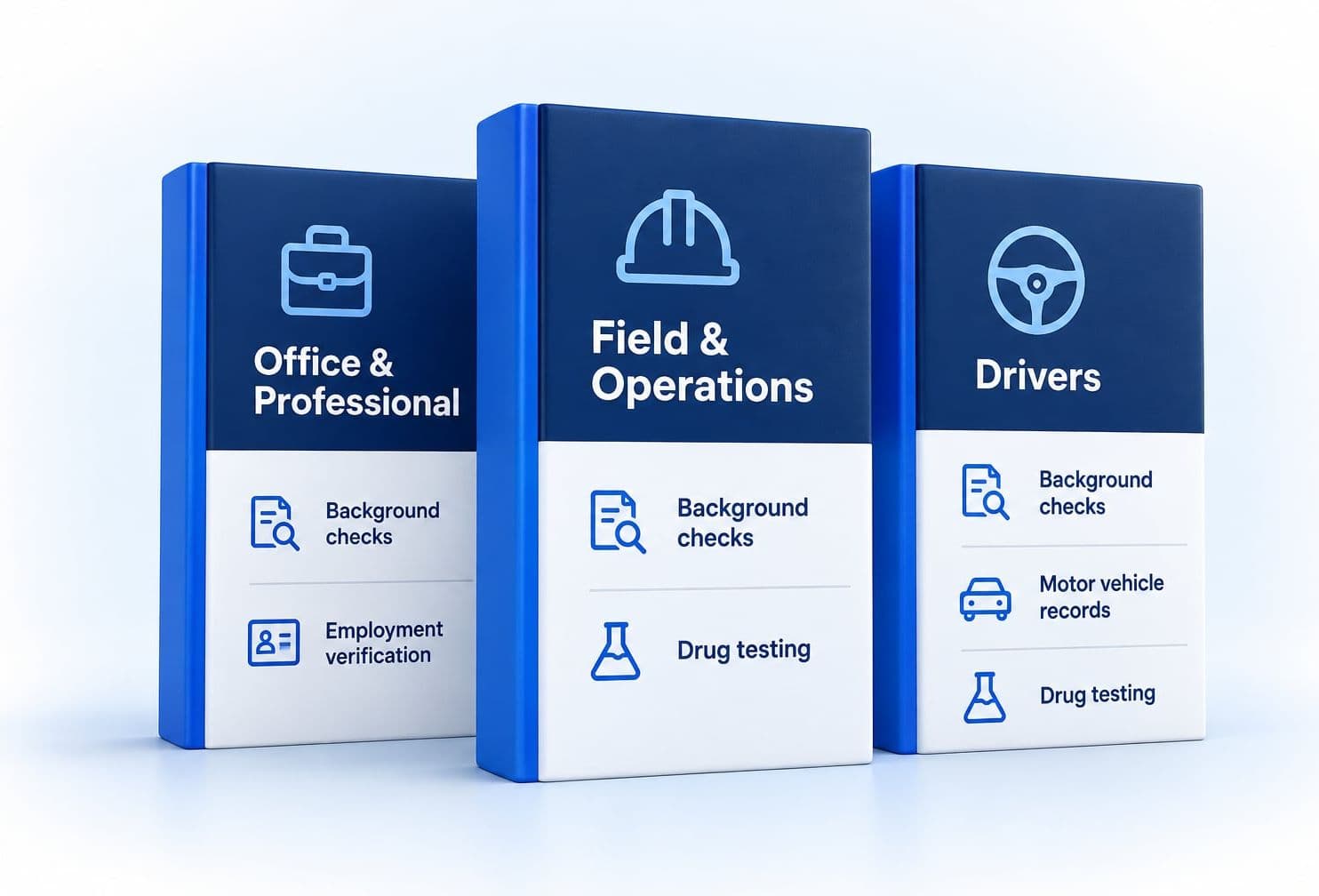
Configured for the roles you hire
- Invite
- Screen
- Review
- Decide
Hiring decisions remain with your team.
Consistency for your team. Flexibility for each position.
Configure your packages
Tailor screening packages to your positions, locations and hiring process.
Coordinate candidate intake
Give your hiring teams a consistent, streamlined experience.
Get experienced support
Partner with a responsive team through every step.
One screening program across roles, departments and locations.
Configure consistent processes while preserving the differences that matter between positions and locations.
- ISS Employer Screening Program
- Roles & packages
- Departments
- Locations
- Hiring teams
- Reporting & communications
- Candidate workflows

People. Process. Progress.
A stronger team behind every hire.
Different responsibilities can require different screening components.
| Position Type (Example) | Identity | Criminal Screening | Employment / Education | Motor Vehicle Record | Drug Screening | Sanctions Search |
|---|---|---|---|---|---|---|
| Office & Administrative | Identity: Included | Criminal Screening: Included | Employment / Education: Included | Motor Vehicle Record: Not part of this role | Drug Screening: Not part of this role | Sanctions Search: Not part of this role |
| Financial Responsibility | Identity: Included | Criminal Screening: Included | Employment / Education: Included | Motor Vehicle Record: Not part of this role | Drug Screening: Not part of this role | Sanctions Search: Not part of this role |
| Field & Mobile Teams | Identity: Included | Criminal Screening: Included | Employment / Education: Included | Motor Vehicle Record: Included | Drug Screening: Included | Sanctions Search: Not part of this role |
| Drivers | Identity: Included | Criminal Screening: Included | Employment / Education: Included | Motor Vehicle Record: Included | Drug Screening: Included | Sanctions Search: Not part of this role |
| Healthcare Roles | Identity: Included | Criminal Screening: Included | Employment / Education: Included | Motor Vehicle Record: Not part of this role | Drug Screening: Included | Sanctions Search: Included |
| Leadership | Identity: Included | Criminal Screening: Included | Employment / Education: Included | Motor Vehicle Record: Not part of this role | Drug Screening: Not part of this role | Sanctions Search: Not part of this role |
Illustrative only. Screening components are configurable by role, location, organizational policy and applicable requirements.
One connected workflow
From candidate invitation through documented communication.
- 01
QuickApp invitation
Invite one candidate or send batch invitations for a hiring class.
- 02
Application, disclosures & consent
Candidates provide information, authorization, signatures and required documents.
- 03
Screening & verifications
Order the configured criminal, identity, MVR, employment, education, license or reference services.
- 04
Drug-test scheduling
When enabled in QuickApp, candidates choose a nearby participating collection site and schedule the drug screening at the end of the application; eligible at-home options may also be available.
- 05
ISS screening report QA
ISS reviews possible record matches for accuracy and completeness before reporting.
- 06
Employer review & decision
Your team reviews the information under its policies and makes the final employment decision.
- 07
QuickView communications
Securely deliver required notices and disclosures with documented activity.
For the candidate
A candidate workflow configured around your organization.
- Mobile-friendly candidate application
- Custom questions and conditional sections
- Jurisdiction- and search-based disclosures
- Electronic authorization and e-signature
- Employment, education and license history
- Document and image uploads
- Email or text invitations and configurable reminders
- Automatic screening orders or an ISS review queue
- Individual and batch invitations
Northstar Logistics
Application progress
- Application submitted
- Documents received
- Screening in review
- Report ready
Less chasing. More visibility.
Invitations
Invite and manage candidate invitations.
Applications
Track application completion status.
Screening
Monitor screening progress.
Verifications
Check verification status.
Drug testing
View scheduling and results status.
Notes & follow-up
See what needs attention next.
Build screening packages around the work.
Criminal Screening
County, state and federal searches based on the role and location.
Identity Search & ID Verification
Helps validate identity information and may surface potential issues.
Employment Verification
Verification of employment history directly from employers or through trusted data sources.
Education Verification
Verification of education history directly from schools or through trusted data sources.
Social Media Screening
Structured review of publicly available social media and web content for roles where it applies.
Motor Vehicle Records
State MVR searches for roles with driving responsibilities.
Personal & Professional References
QuickVerify electronic questionnaires return completed responses to the screening system for review.
Drug Testing
Coordinate drug testing through our network of collection sites, with multiple panel options.
Drug testing
Background screening and drug testing through one screening partner.
- QuickApp order
- Candidate schedules at a nearby participating site at the end of QuickApp
- Electronic instructions & status
Eligible at-home testing options may be available depending on the program, test type and location.
What that covers
- Nationwide coordination
- Multiple panel options
- Fewer vendor accounts and invoices
- Candidate-focused scheduling
Workflow view
Know what is complete, what is pending and where follow-up is needed.
Illustrative workflow view.
Fit screening into the workflow your team already uses.
Individual & batch ordering
Invite one candidate or a whole hiring class.
Custom URLs & branding
Use your organization's branding and custom links.
Available integrations
Integrations are available and configured based on the employer's systems.
Role & location configuration
Set screening packages, questions and requirements by role and location.
API workflows
API options are available and configured based on your systems.
Centralized reporting
View hiring status across roles, departments and locations.
Integration availability, scope and development requirements are confirmed before implementation.
Support beyond the software
Technology when it saves time. Experienced people when the process needs attention.
ISS combines configurable workflow tools with screening support, report QA and responsive client service — so your team is not left alone with a dashboard when questions arise.
- Implementation support
- Screening report follow-up
- Responsive client assistance

Secure candidate communications after your team reviews the results.
QuickView delivers consumer reports, custom pre-adverse or adverse-action letters and other required notices securely. Recipient authentication and delivery activity are documented in the report notes.
ISS provides screening information and workflow tools.
Your organization establishes its policies and makes all employment and adverse-action decisions.
Related
Want to see the candidate screening journey?
Explore the Employees page for the candidate experience, the available screening components, the verifications and the drug-testing process.
Questions
Questions employers and HR teams ask.
Yes. Screening components are configured per position, so an administrative hire, a driver and a licensed role can each run the package their responsibilities call for.
Build a screening program around the way your organization hires.
Tell us about your roles, hiring volume, locations and current process. We'll help configure a workflow around your team.