
Lease-Ups & New Communities
Turn early interest into an organized path to occupancy.
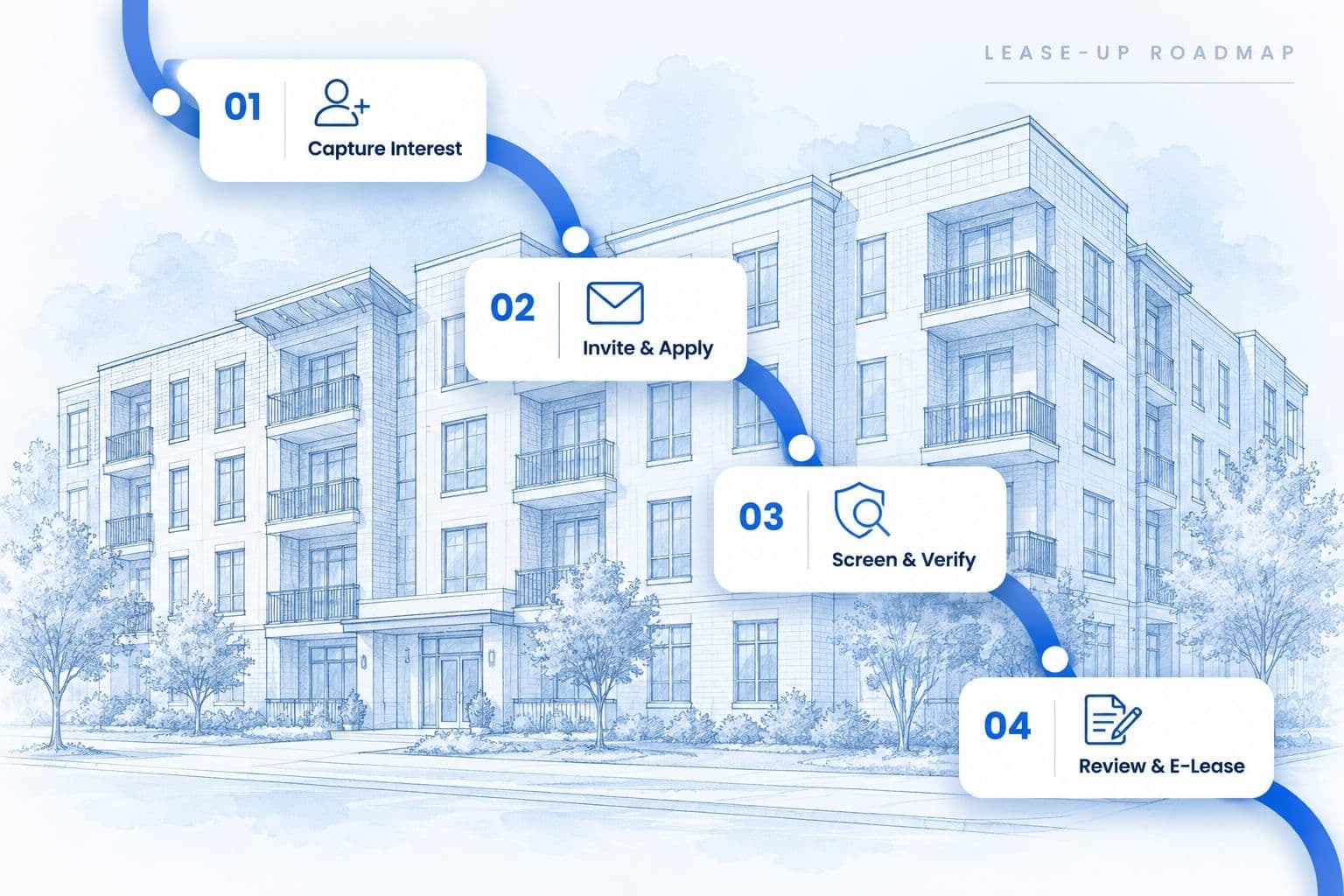
Bring interest lists, application invitations, screening, verifications and e-leasing into one coordinated workflow—configured before your community opens.
- Organized interestCapture and centralize early demand.
- Controlled invitationsSend applications on your timeline.
- Thorough screeningVerify information with confidence.
Built for the pace of a new community.
Prepare before launch
Configure your workflow, set requirements and get your team ready—before you open.
Manage application volume
Keep interest, invitations and applications organized as demand builds.
Keep households moving
Screen, verify and e-lease in a coordinated process that gets residents to move-in.
- 01
- Demand arrives before units are ready
- Interest builds early, and you need a way to capture and organize it until units open.
- 02
- Too many invitations can overwhelm the team
- Without control, invitation volume spikes and leads to bottlenecks and delays.
- 03
- Incomplete applications slow momentum
- Missing documents and unanswered follow-ups put households at risk of being lost.
- 04
- Every applicant needs a documented process
- Consistency is essential for fair, compliant, and defensible leasing decisions.
How it runs
From first interest to signed lease — without losing track of the household.
Final housing decisions remain with the housing provider. Every stage below is an expansion of the same 6-stage ISS workflow.
- 01Interest ListCapture early demand before units open.
- 02Waitlist & PreferencesOrganize households by unit and feature needs.
- 03Application InvitationInvite in controlled groups as units become available.
- 04Application & DocumentsConfigured fees collected and documents uploaded.
- 05Screening & VerificationsCredit, record, income, and rental history.
- 06Screening Report QAPossible record matches reviewed for accuracy and completeness before reporting.
- 07ScoreCard & Client DecisionCriteria applied; your team decides.
- 08Communication & E-LeasingApplicants informed, approved households moved forward.
Interest and invitations
Invite the right households at the right time.
Interest arrives long before units do. The list holds it — with what each household actually needs — until the community is ready, and then releases it in groups rather than all at once.
| Household | Bed pref. | Features / accessibility | Invitation status | Last contact |
|---|---|---|---|---|
| Sample household A | 1 Bed | None | Waiting | Day 14 |
| Sample household B | 2 Bed | Near elevator | Invite ready | Day 13 |
| Sample household C | 2 Bed | Parking | Invite sent | Day 12 |
| Sample household D | 3 Bed | Accessible features | Application started | Day 11 |
Configurable interest forms
Capture only the information your team needs.
Household and unit preferences
Track bedroom preferences, features, and accessibility needs.
Controlled invitation groups
Invite households in groups based on availability and priorities.
Status and communication history
See the full history of outreach and applicant responses.
A mockup with sample data. Which fields the interest form collects is configured per community.

Batch Orders exists for exactly this: many applicants, one submission.
Upload a CSV and submit the queue together, rather than ordering applicant by applicant through the busiest weeks of the project.
Different services
Different services. One organized result.
Verification does not come from one place. What arrives at your team is the assembled result, not four separate errands you have to reconcile.
QuickVerify
Automates landlord and residential verification workflows.
Employment verification
A specialized verification provider validates data points and contacts employers.
ISS screening QA
ISS reviews possible record matches for accuracy and completeness before reporting.
Completed information is organized for ScoreCard and client review.
Everything an automated check could resolve has already been resolved, with the reviewer's notes kept on the case.
ScoreCard Pro
A recommendation based on your criteria — not an automatic decision made for you.
ScoreCard Pro organizes completed results against the rental criteria configured by your company, which is what keeps a brand-new leasing team consistent through the busiest weeks of the project. Your team reviews the information and makes the final housing decision.
Applicant score · Recommendation
Approve
Sample applicant · Sample property
- Income ratioPass
- CreditConditional
- Criminal recordsPass
- Eviction recordsPass
- Residential verificationReview
- Employment verificationPass
2 items require attention
Set the criteria, reasons, and reviewer instructions once. Score a single applicant, or score several together for a group recommendation on a shared household.
Decision mapping
Weight
Threshold
Time window
Weight
Threshold
Time window
Weight
Threshold
Time window
Weight
Threshold
Time window
Weight
Threshold
Time window
Weight
Threshold
Time window
Score overrides
Overrides are recorded with a reason and the reviewer's instructions, so an exception stays visible on the case rather than living in someone's inbox.
ScoreCard Pro produces a recommendation against your configured criteria. The final leasing decision, and the policy behind it, remain with the housing provider.
See reporting and decision toolsApplicant communications
Keep applicants informed while keeping a documented history.
A household that has been told where it stands does not ring the leasing office to find out — which is most of what a lease-up team's phone is for by week three.
- On invitation
Invitations and document requests
Application invitations and requests for outstanding documents go out through the system rather than by hand.
- In progress
Status updates
Households are told what stage they are at and what is still needed, so an incomplete application is a message rather than a silence.
- On decision
Consumer reports and adverse-action letters
Automated consumer-report delivery, and your team's customized adverse-action letter by text or email, with delivery confirmation and timestamps retained.
Before you open
A lease-up plan configured before applications begin.
- 01
Map the applicant journey
ISS works with your team to lay out how a household should move from first interest to a signed lease at this specific community.
- 02
Configure forms and criteria
Interest forms, applications, required documents, fees, screening packages, and rental criteria are set up as configuration rather than as guidance.
- 03
Set invitation and communication rules
Who gets invited, in what groups, and what they are told at each step — decided before volume arrives rather than under it.
- 04
Train the leasing team
The onsite team runs the workflow before the first real application, so week one is not the first test of the standard.
Other portfolio types
After stabilization, the same workflow keeps running.
The same connected workflow, configured for a different set of constraints. Start from Property Management for the full picture.

Multifamily
One process, configured for every property in the portfolio.
Explore solution
Single-Family Rentals
Screen every home thoroughly and keep every vacancy moving.
Explore solution
Student Housing
Keep every student, guarantor, and application connected.
Explore solution
Affordable Housing
Support complex households and subsidy-aware workflows.
Explore solution
FAQs
Common questions about lease-ups.
Interest is captured through a configurable form that asks only what your team needs, and households are organized by bedroom preference, features, and accessibility needs. From there you can see who is waiting, who has been invited, who has started an application, and when each was last contacted.
Open the building without opening a backlog.
Interest lists, invitations, screening, QA review, ScoreCard results, applicant communication, and e-leasing — configured before pre-leasing opens.